Press & media · Stepfolio
Turn screenshots into step-by-step guides.
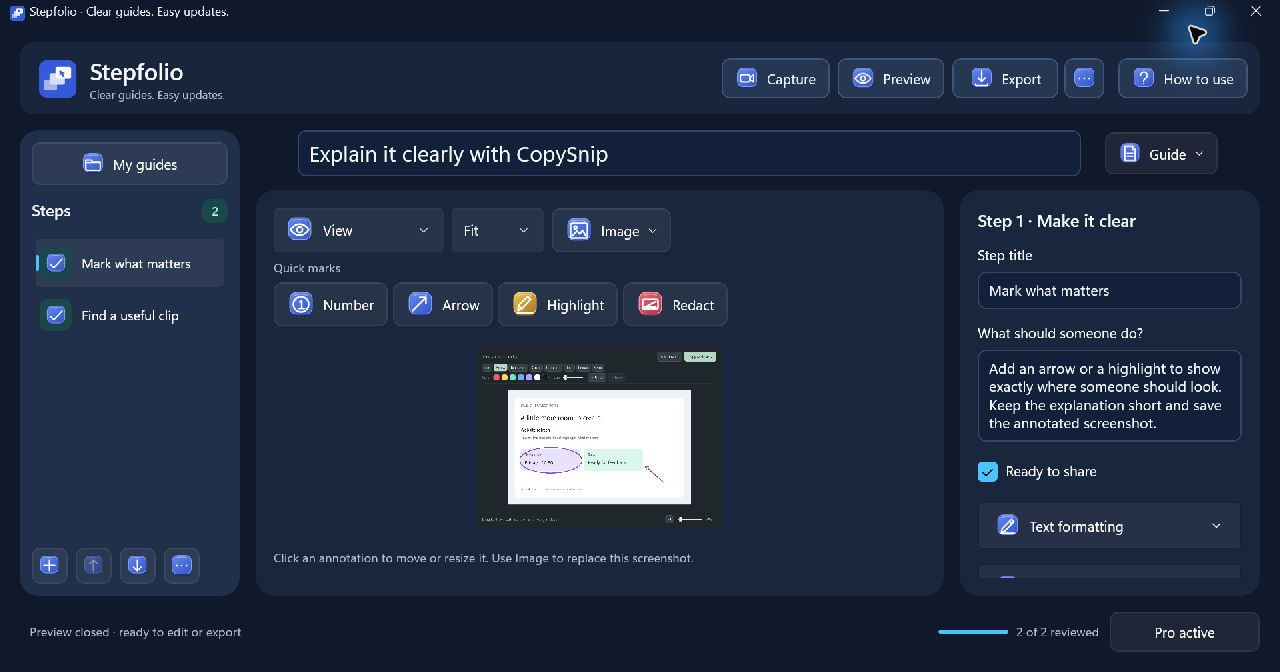
Explaining the same task again? Capture the process, add instructions and share a guide someone can follow.
Windows 10 (22H2+) and Windows 11 · x64
- Capture a process.
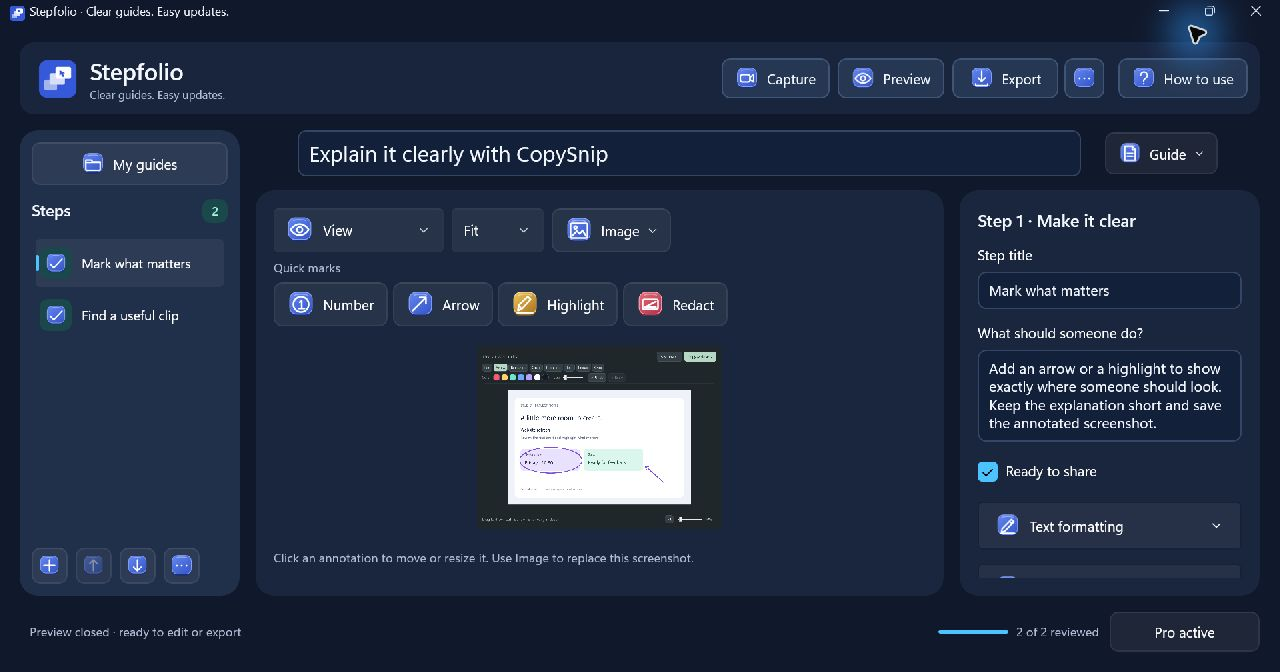
- Choose a window or screen and start a capture session. Pause when needed, then organize the captured steps into a guide.
- Explain what matters.
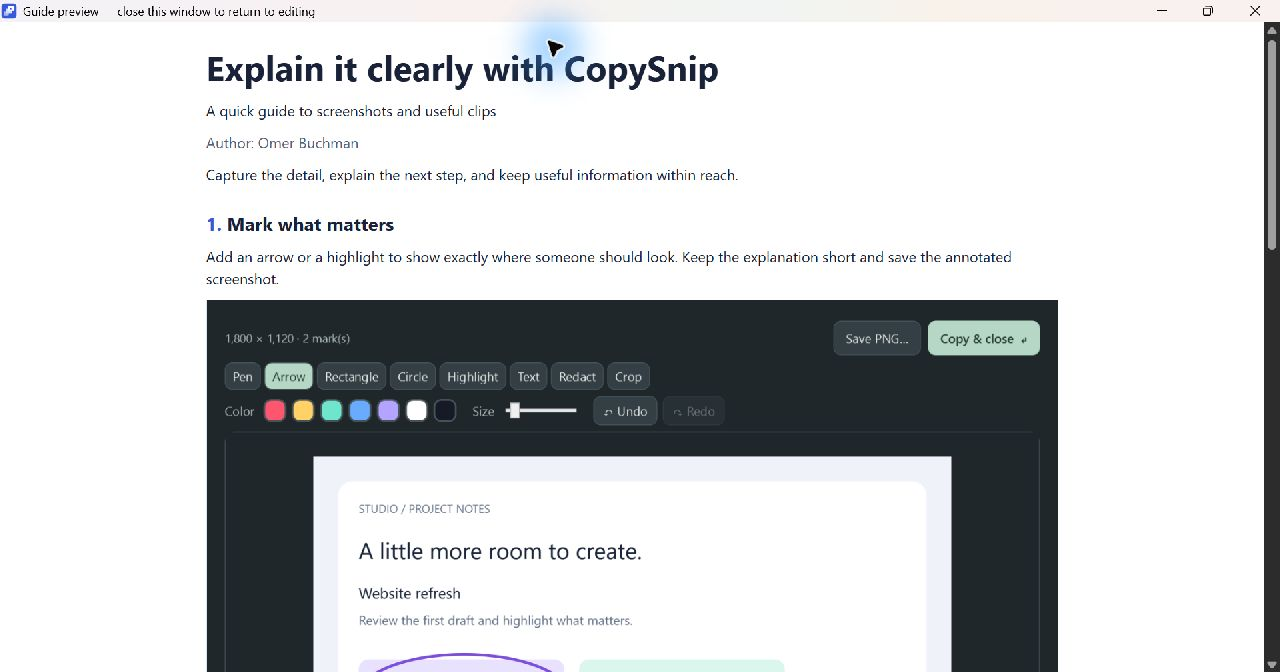
- Edit instructions, annotate screenshots and apply permanent redaction before sharing. Capture, editing, saving, preview and redaction stay free after the export allowance is used.
- Keep the guide useful.
- Replace a screenshot without rewriting the whole guide. Two completed PDF, DOCX or offline HTML exports are included; Pro unlocks unlimited exports.
- Stepfolio Pro
- An optional one-time Microsoft Store upgrade. See the product page for the full limits and the Store for the current local offer.
Actual app imagery
See what it does.
Original native captures, the existing app logo and factual product copy. Screenshot versions and sample content are identified in the kit.

The independent developer
Made by Omer.
I’m Omer Buchman, an IT manager, systems administrator and AI integrator with over 10 years of experience. I build Windows apps to make practical everyday tasks easier.